Log4mql(mini) - light header-only version of Log4mql that provides standardized logging.
Installation/Usage
- Add log4mqlm.mqh to your Include folder.
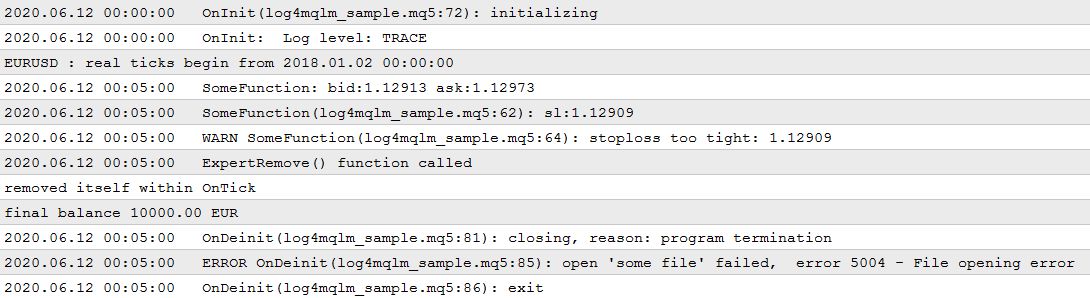
- View the sample code to get an overview of the usage.
Inputs
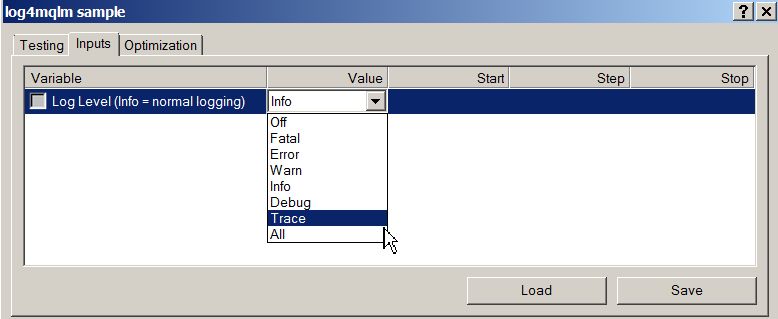
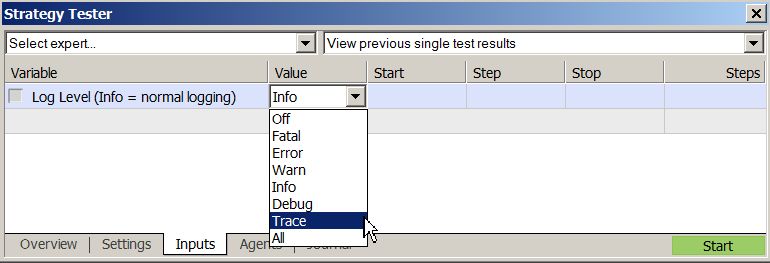
Log4mql(mini) requires only one input field. There is no logging to files.
- Loglevel, supports Trace, Debug, Info, Warn, Error and Fatal
Message Pattern
The message pattern will have a fixed format which corresponds to its appropriate severity level, according to below table.
Severity
Format
Sample output
Info (the commonly used default)
%func: %msg
OnInit: Log level: TRACE
Debug, Trace
%func(%file:%line): %msg
OnInit(log4mqlm_sample.mq5:72): initializing
Warn
WARN %func(%file:%line): %msg
WARN SomeFunction(log4mqlm_sample.mq5:64): stoploss too tight
Error
ERROR %func(%file:%line): %msg
optionally followed by: [, error %lasterr - %lasterrdesc]
ERROR OnDeinit(log4mqlm_sample.mq5:85): open 'some file' failed, error 5004 - Cannot open file
Fatal
FATAL ... as above
FATAL ...
Functions
Log4mql(mini) provides functions and preprocessor macros for logging, all macros are to be used like functions.
Return type
Function name
Description
bool
PRINT (...)
Prints its message if log level is set at least to INFO (= normal logging behavior).
Supports up to 9 arguments - PRINT("1",2,etc) - if you need more, expand the templates.
Returns true if message was logged, else false.
bool
PRINTF (string format,...)
Like PRINT but prints a formatted message. Same rules as known from PrintFormat apply.
bool
WARN (...)
WARNF (string format,...)
Prints its message if log level is set at least to WARN.
bool
ERROR (...)
ERRORF (string format,...)
Prints its message if log level is at least ERROR. Adds _LastError description if set.
bool
FATAL (...)
FATALF (string format,...)
Like ERROR, but with termination. You should call ExpertRemove() or exit immediately otherwise after this.
Example:
if(step<MinStep) { FATALF("invalid step size: %f",step); ExpertRemove(); return; }
bool
DEBUG (...)
DEBUGF (string format,...)
Messages for DEBUG level.
bool
TRACE (...)
TRACEF (string format,...)
Messages for TRACE (more verbose than DEBUG, for function entries, calculations etc).
string
L4mq.LastMessage()
Get the last message that has been logged.
int
L4mq.LastLevel()
Get the severity level of the last logging event.
int
L4mq.Level()
Get the severity level of the logger.
string
L4mq.LevelAsString()
Get the severity level of the logger as string.
void
L4mq.SetLevel(int)
Set the severity level for the logger.
ulong
L4mq.SeqNr()
Get the sequence number of the last logged event.
bool
L4mq.logged
true if the last event was logged.
string
Log4mql::GetErrorDescription(int err)
Get the description of an error code like _LastError.
string
Log4mql::GetUninitReason(int reason)
Get the description of the uninit reason.
string
Log4mql::LoglevelToString(int level)
Convert a log level to a descriptive string.
Notes
- As the functionality strives to be as simple as possible, there is no logging to files. You could implement some on your own if you want.
- You are free to use this code in your work, however, if you share the source code you must not remove the copyright and license notice.
- The full functionality of Log4mql is available here: https://www.mql5.com/en/code/31425 (MT4) or here: https://www.mql5.com/en/code/31452 (MT5)